Introducing boardCache: One Board for the Whole Project
For clients, creatives and anyone who collects more than they can keep in their head
Creative work starts long before anything gets designed. It starts with reference: screenshots, competitor sites, photographs, typefaces, a paragraph from an article, a color pulled from a product shot. Then it needs somewhere to live while a direction takes shape, and somewhere for the plan, the dates and the people once it has.
We built a tool for that. It is called boardCache, it is the first piece of software from Creative Link, and it is now in beta.
What boardCache is
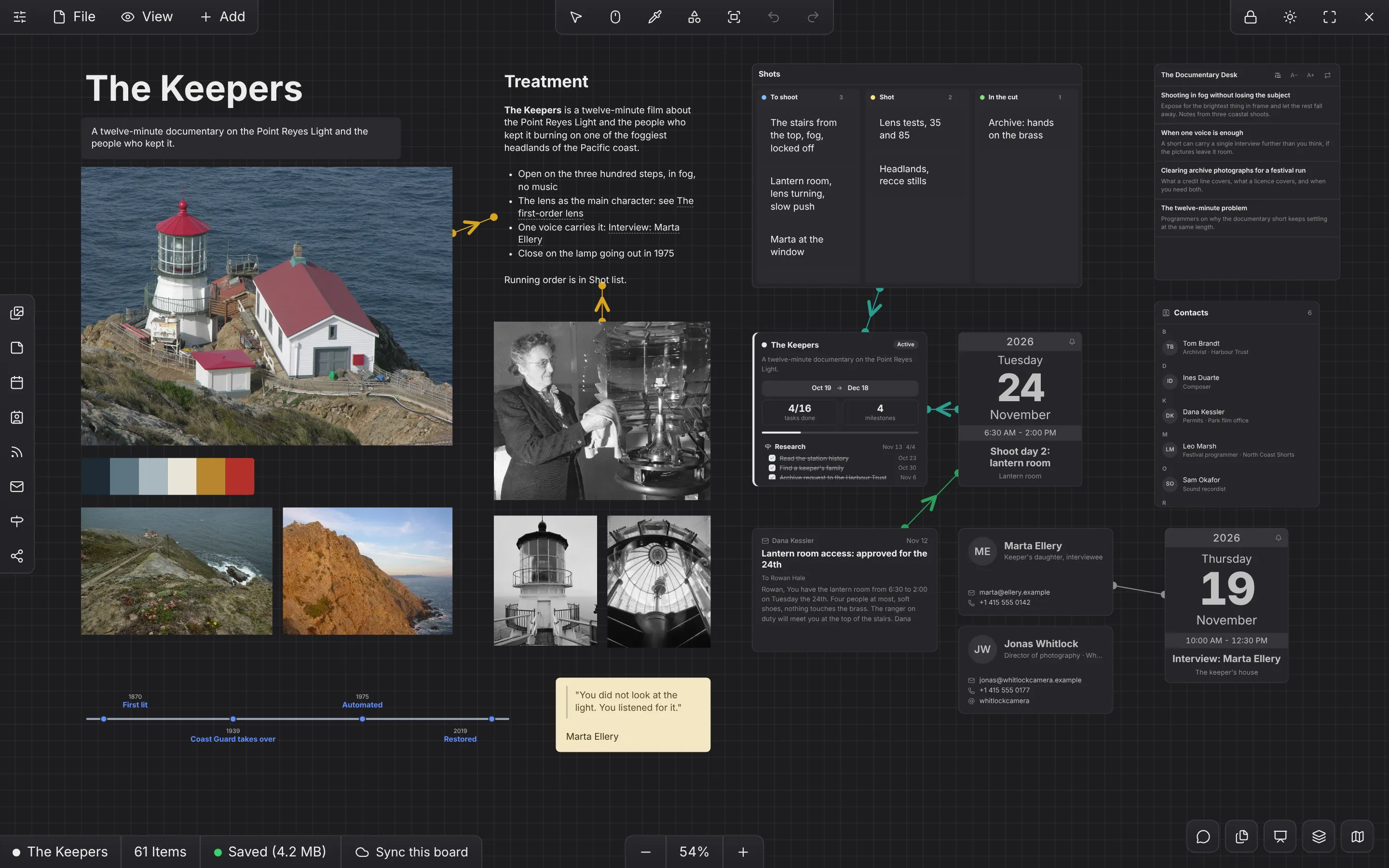
boardCache is a collection of boards. A board starts as a wall you pin things to. It ends up holding everything the project is.
Pin anything, draw connections, and develop the big picture.
Images, video, audio, PDFs, ebooks, Office files, fonts, web pages, maps and code all show as themselves on the canvas. Each item keeps its source, credit and date, so six months later you still know where something came from and whether you can use it.
Structure is there when you want it. Timelines, kanban boards, tier lists, storyboards and task lists sit on the same wall as the loose material. And a line between two items can say what it means: one supports the other, contradicts it, cites it or depends on it.
One board, nine views
The same board can be looked at nine ways. Each view is the same material, so a change in one shows up in all of them.
Canvas. The wall itself: pictures, notes, a kanban board, the plan, the people, a message and a feed, connected the way you see them connected.
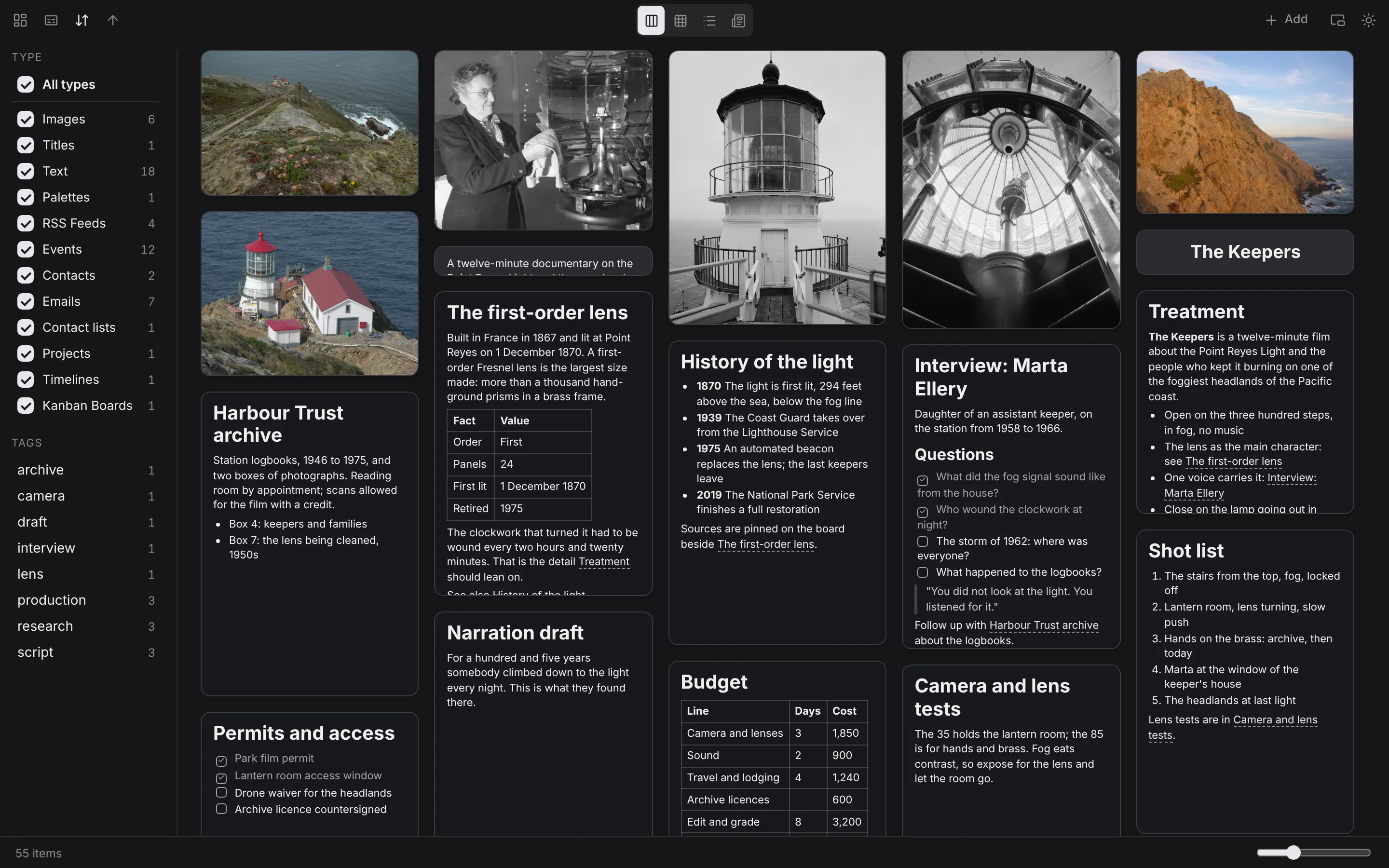
Gallery. Everything on the board as an index. Sort it, filter it by type or tag, and open anything full size.
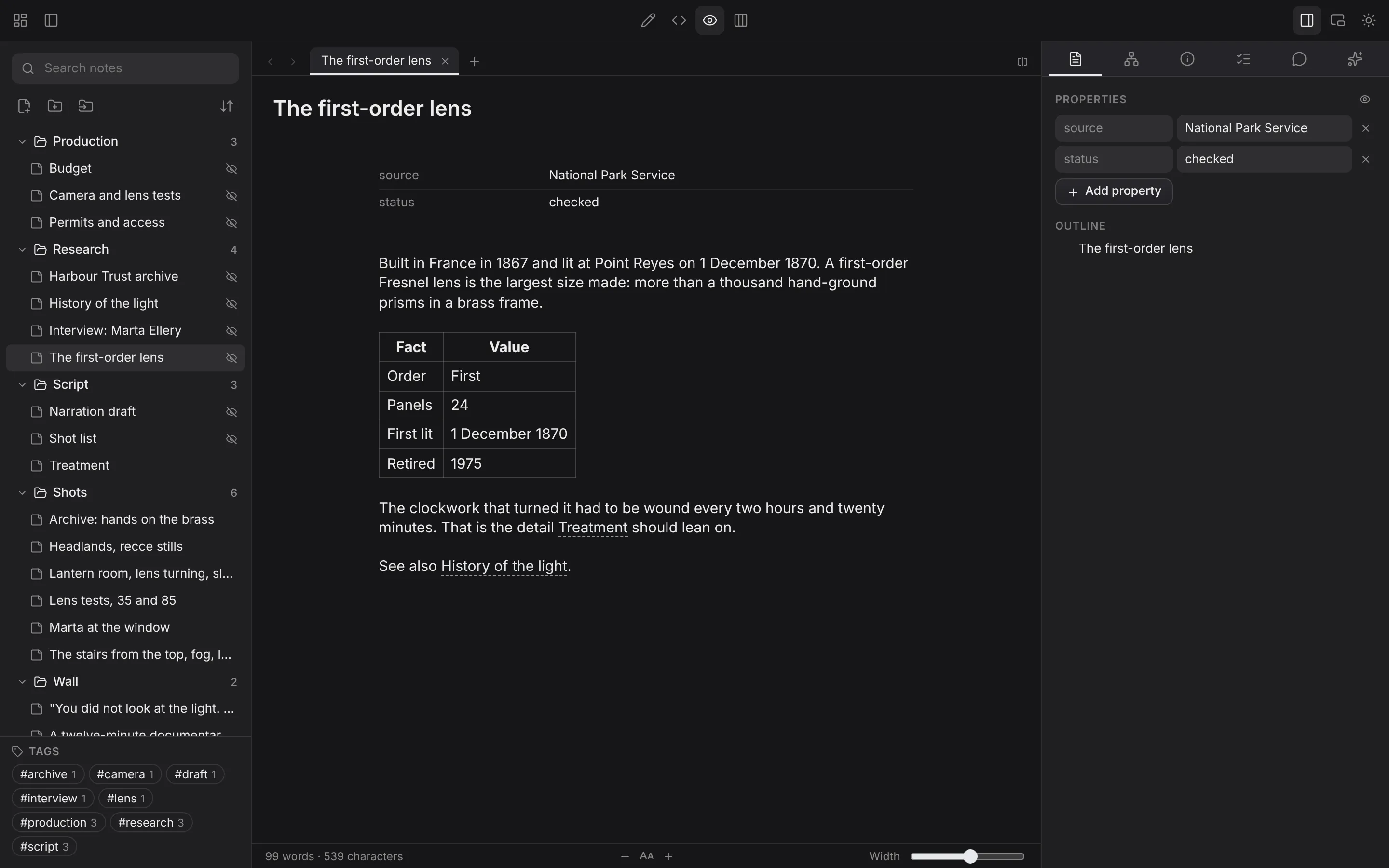
Notes. Every text box is a note, with folders, tabs and split panes, links between notes, and tables you type into.
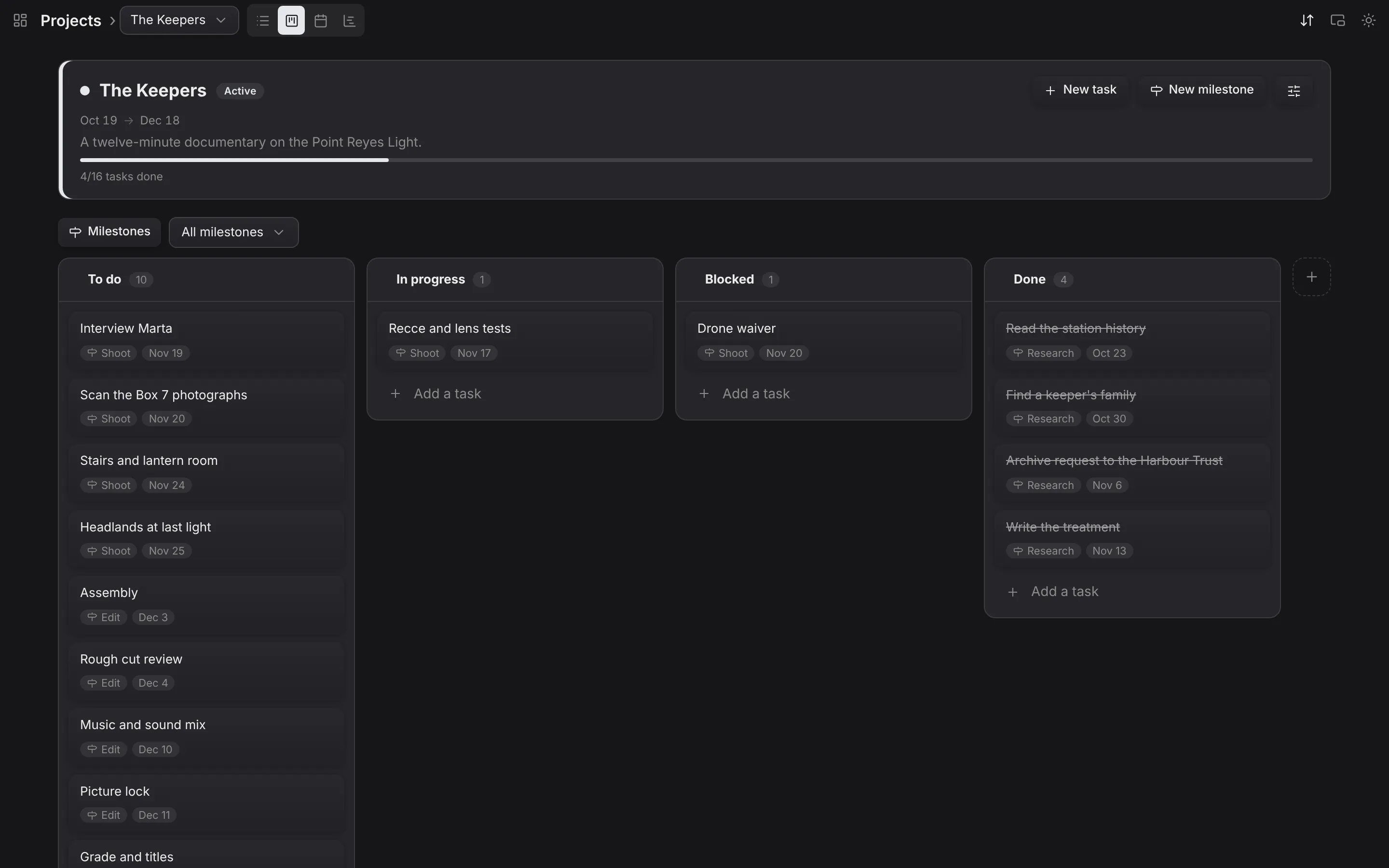
Projects. Milestones and tasks as a list, a board, a calendar or a timeline, with reminders.
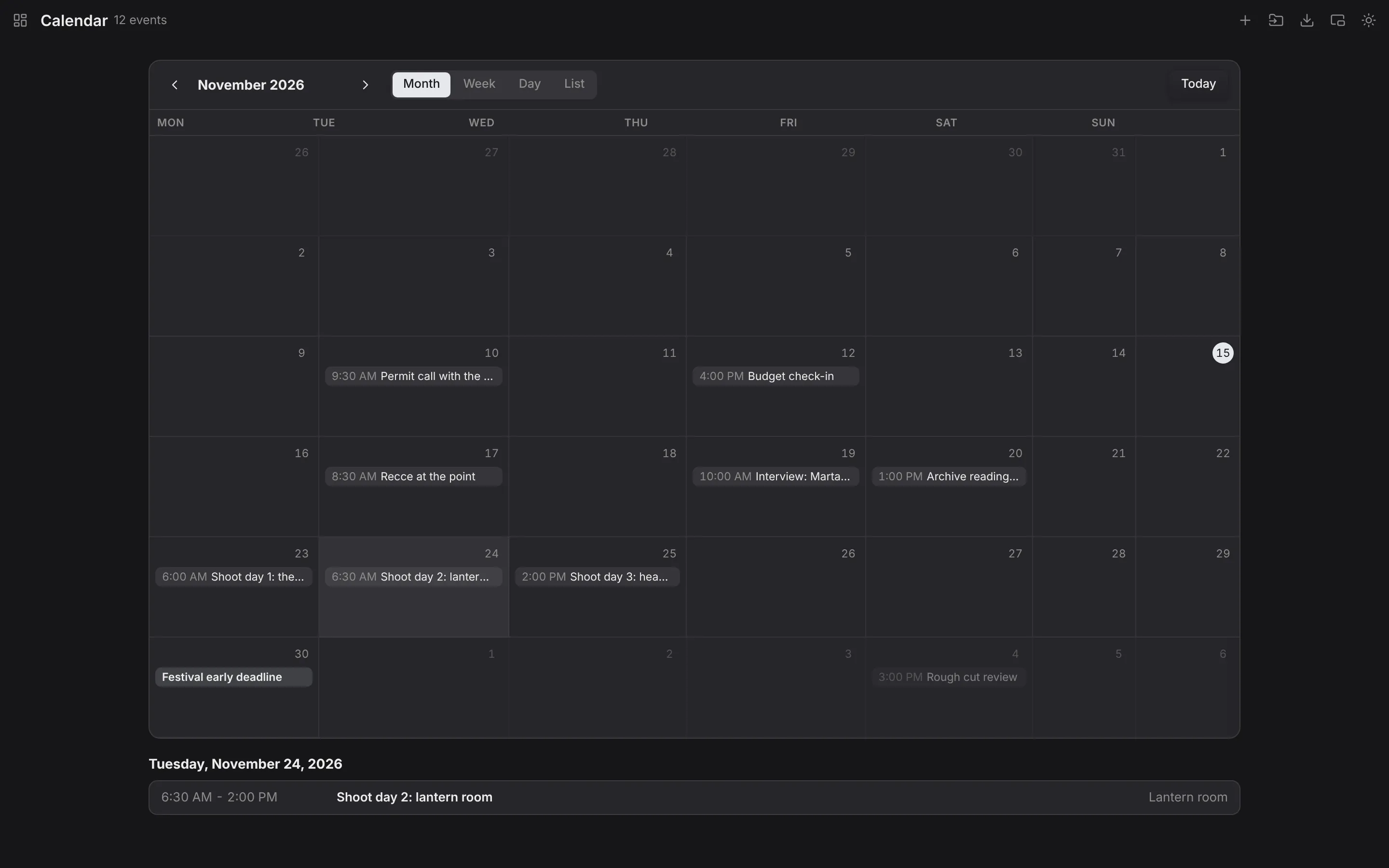
Calendar. Every dated thing on the board by month, week or day.
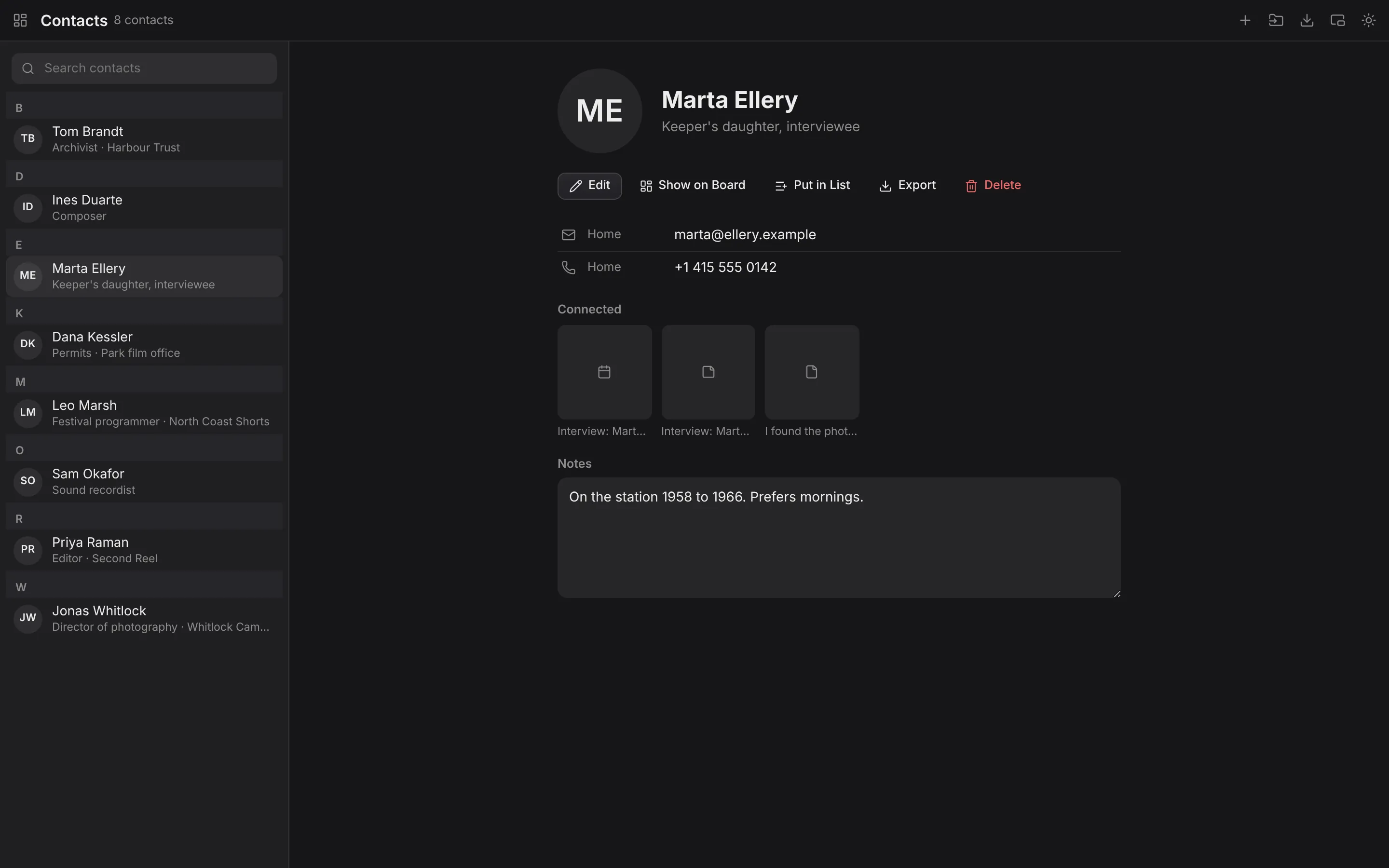
Contacts. The people the project needs, each with what on the board connects to them.
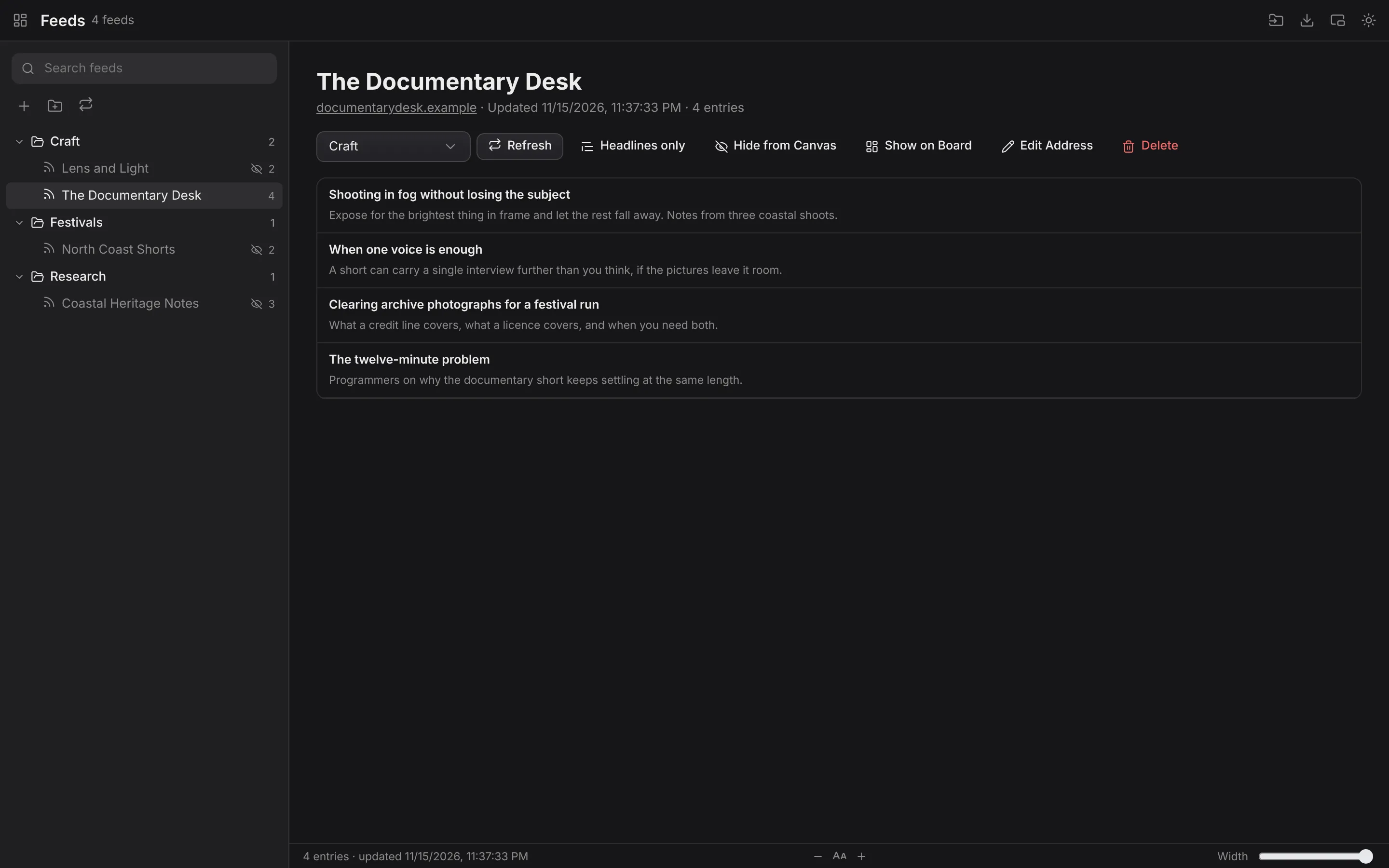
Feeds. The sites you follow for this project, read in place.
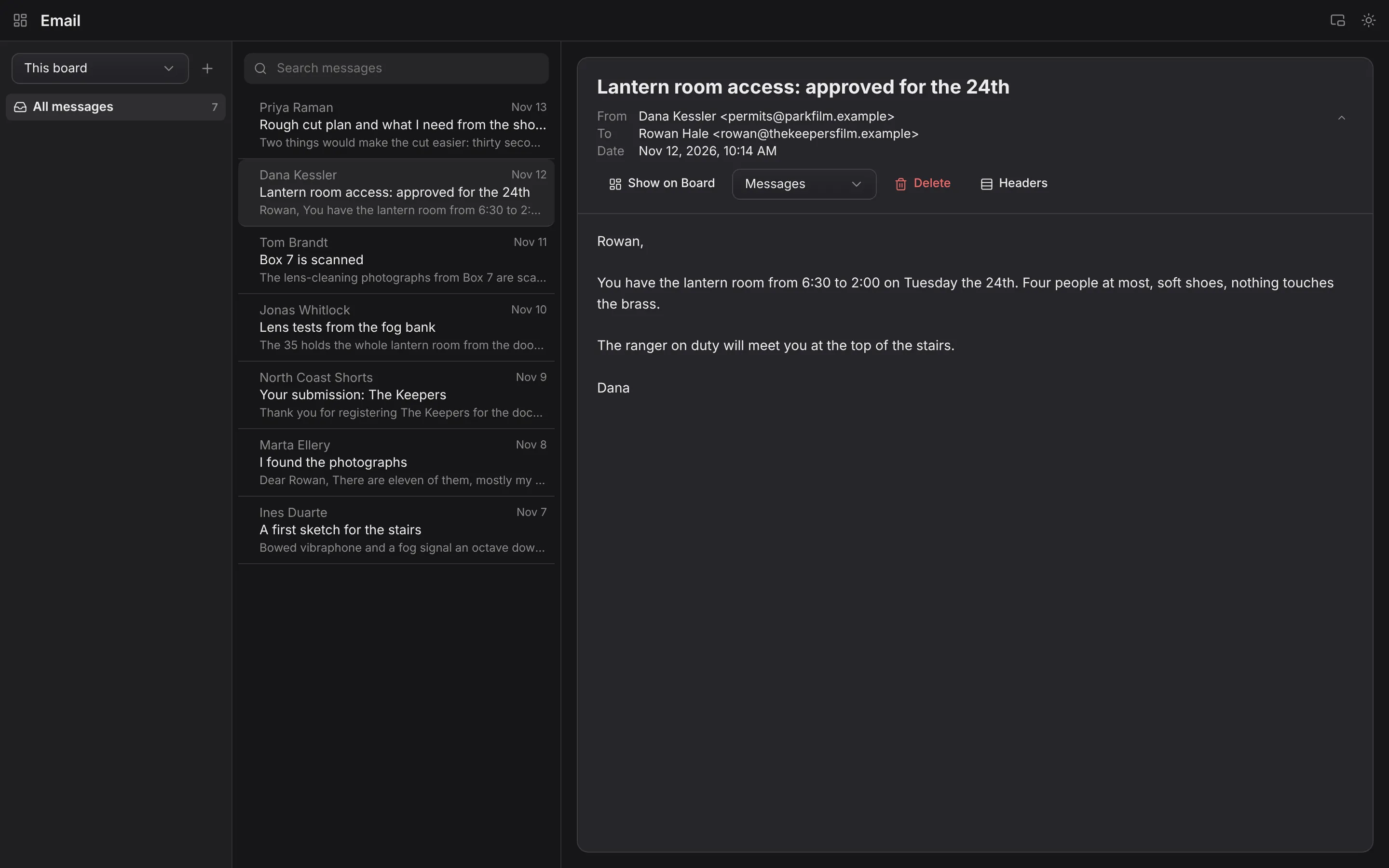
Email. Messages kept with the work: dropped in as files, or read and answered from your own mailbox.
Graph. The same board as a graph: what connects to what, and what everything hangs on.
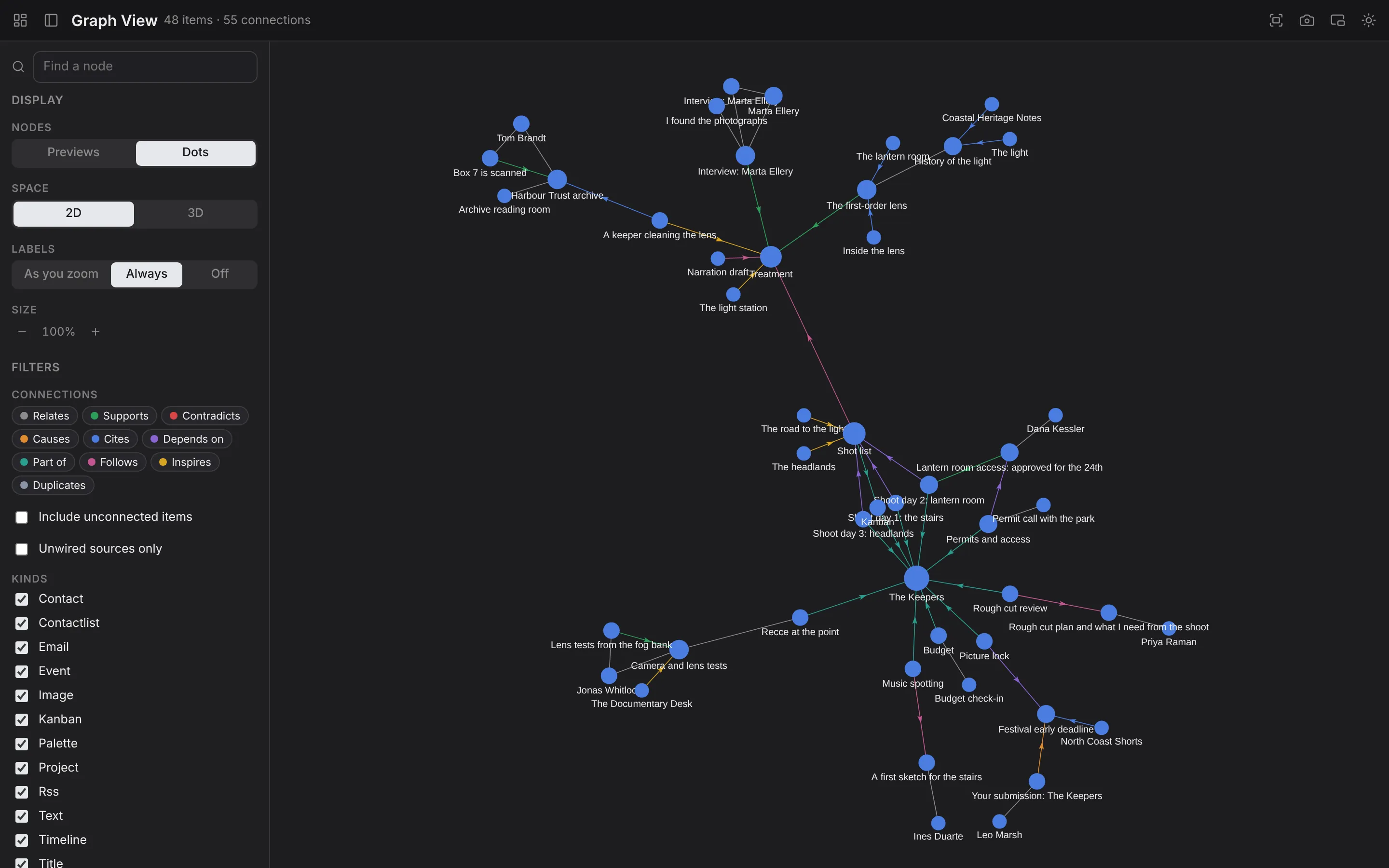
The board in these screenshots is a sample project built in the app. The lighthouse photographs are public domain, from the National Park Service, the Historic American Buildings Survey and the U.S. Coast Guard, via Wikimedia Commons. The film, its people and its messages are invented.
Yours first
We built boardCache to be local-first. Boards live on your device and work offline. You do not need an account to start, and nothing leaves your device until you say so. The desktop app can even keep a board as an ordinary folder of pictures, video and documents that your file manager and backups can see.
When you do want your boards on more than one device, sync is end-to-end encrypted. Your password never leaves your device, and our servers store data they cannot read. The app that holds your data is open source, so that claim can be checked.
We can't read your boards. That's the design.
One labelled exception. Boards you work on live with a team are stored readable on the server, so that it can merge everyone's edits as they happen. The app says so wherever a team board appears, and you can duplicate a team board into a private, encrypted copy.
Working together
A team board is a live room. Everyone sees each other's cursors and edits as they happen. Up to ten members can join a board with their own accounts, and guests can join by link without an account at all, which makes it easy to bring a client into a moodboard or a planning session for an afternoon.
When a board is ready for a wider audience, you can publish it to the boardCache Community under a license you choose, where other members can explore it, vote on it and clone it as a starting point.
AI, when you want it
boardCache includes an assistant that reads the board and acts on it with the same tools you use: it can answer from what is pinned, search by meaning, gather research with real sources, transcribe audio and generate images. Every change it makes is one undo step.
It is optional, and you choose where it runs: models on your own device, your own keys from the provider you prefer, or boardCache's hosted option. You can also connect your own agent, such as Claude Code, to the desktop app and hand it a whole board to build. Nothing runs until you ask, and your boards never train anyone's models.
Where it runs and what it costs
boardCache runs in the browser with nothing to install, and as a desktop app for Mac, Windows and Linux. A browser clipper for Chrome and Firefox saves things to a board as you find them. Apps for iPhone, iPad and Android are on the way; until then the web app works on a phone.
The app is free, forever, with unlimited boards on your device and every item type, tool and export. Paid plans add the parts that need a server:
- Personal adds encrypted sync across your devices.
- Team adds real-time team boards. One person subscribes, and the people they invite never pay.
Current prices are on the boardCache pricing page.
During the beta, accounts are opening in waves by invitation. You can use the app on your own device today without one, and join the waitlist for sync, team boards and the assistant.
Free team and sync access for retainer clients
If you are an active Creative Link client on a retainer, team and sync access to boardCache is included at no extra cost. Your boards sync across your devices, and you can work on them live with your own team and with ours.
In practice this is where your project's thinking will live: the references we collect, the directions we are weighing, the plan and the timeline, all on boards you can open any time. Ask your account lead and we will set you up.
Why an agency is shipping software
Because we needed it. Every project we take on produces a pile of reference and research, and the tools we tried either kept that material locked on someone else's servers or treated it as a folder of files with no shape. We wanted something that keeps the work on your own machine, remembers where everything came from, and lets a team see the same picture.
We think a tool like that is useful well beyond our own projects, so it is available to everyone.
Try boardCache. It is free, and you can start without an account.